

NAS, or Network Attached Storage, keeps your files safe and easy to find. But like any other piece of technology, it needs to be taken care of to work well. It can slow down or break if it gets too hot or dusty. This article talks about how to clean your NAS device and keep it cool.
Why NAS Devices Need to Be Cleaned and Cooled
Your NAS device’s performance is affected by heat and dirt. Dust builds up on fans and stops air from flowing, which makes things hotter inside. High heat puts stress on hard drives and other parts, which can cause them to fail or make mistakes. A NAS device that is clean and cool stores data better and uses less power.
This is very important for UGREEN NAS owners. The UGREEN NAS is small, which makes it easier for dust to get stuck in tight spaces. Cleaning fans regularly cuts down on noise when they work harder. Cooling also stops throttling, which is when the system slows down to keep from getting too hot. Simple habits will help your NAS device stay reliable for backups, photos, and videos.
Step by Step Cleaning your NAS device
It doesn’t take long to clean your NAS device, but it pays off big time. Do it every three to six months, depending on how much dust is in the room. First, turn off the power and unplug everything. Use soft cloths and compressed air in a well-lit area.
Cleaning Dust Off of a NAS Device Fans and Vents
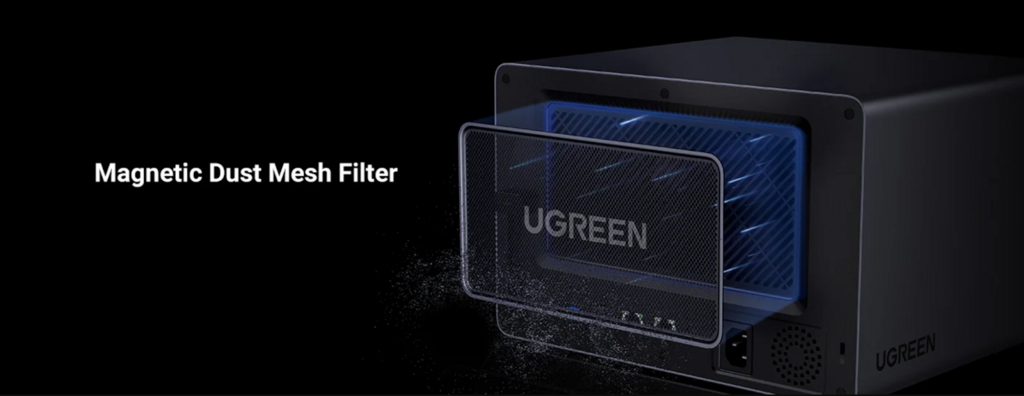
Dust is the worst thing that can happen to NAS devices. It sticks to vents and fans, which cuts down on airflow. Begin with the outside. Wipe the case with a microfiber cloth or a soft brush.
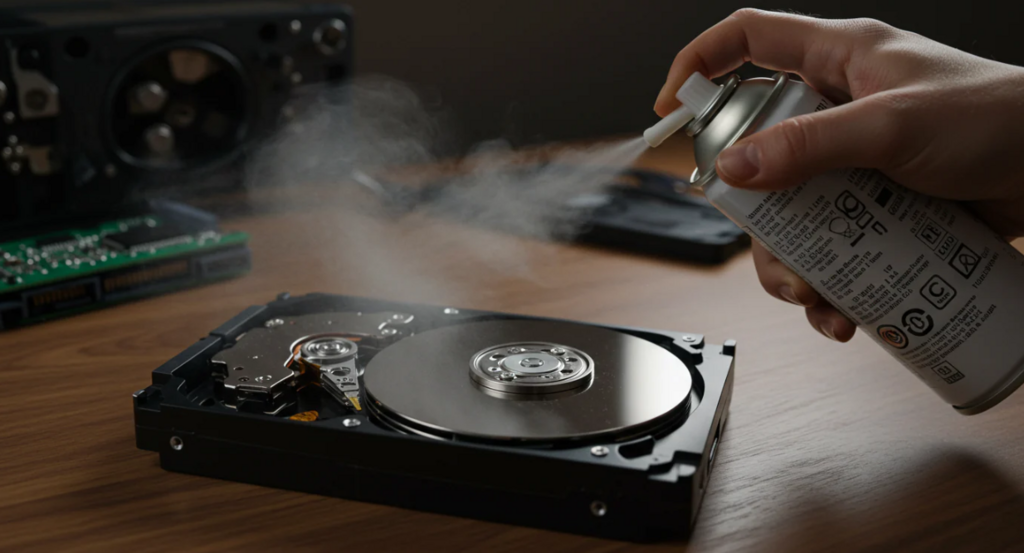
If your model lets you, the next step is to open the case. You can easily take off UGREEN NAS panels without any tools. Hold the unit at an angle and use canned air to blow dust off the fans. Short bursts are best; hold the can upright to keep the liquid from spraying. To get rid of loose bits, gently spin the fan blades by hand. Never use a vacuum because it makes static that can damage electronics.
Also, clean the drive bays. Take out each hard drive one at a time. Use air to clean the slots, then slide the drives back in.
Putting cables in order around your NAS device
Cables that are all over the place keep dust and heat close to your NAS device. They block vents, which makes it hard for air to move. Use clips or velcro straps to tie cables together. Take them away from the unit’s intake areas.
Use the built-in ports wisely when setting up a UGREEN NAS. Only plug in what you need; extra plugs make things messy. Put labels on your cables so you know which is which. If you keep things neat, cool air can get to the NAS device completely. It also makes it easier to make changes in the future.
How to Cool UGREEN NAS and Other Devices Effectively
Cleaning is not the only thing that cooling does. To keep your NAS device’s drives safe, they need a steady flow of air, which is usually below 104°F.
How to Check the Ventilation in NAS Devices
The first step to cooling is to put it in the right place. Place your NAS device on a flat surface with at least four inches of space above and around it. Don’t use enclosed shelves; they keep heat in like a greenhouse.
If you can, stand UGREEN NAS up. The design works best with vertical air flow. Don’t put it near windows or heaters. A desk corner works in a home office as long as air can flow. After an hour of use, check to see if the vents are blowing warm air. Move to a different spot if it’s too hot.
Keeping the Fans in Your NAS Device Running
Fans have two jobs: they cool things down and let you know when something is wrong. Check your NAS device for rattles or whirs. A broken fan means less cooling and more wear.
You can change the fans on UGREEN NAS. Turn off the power and take off the old one. Make sure the new fan is the right size and speed by looking in the manual. If you need to, put thermal paste on the heatsink. Most UGREEN NAS units come ready to use. After that, run the system and listen for noise. For more ways to minimize operational sound, check out our guide on methods for reducing NAS noise, which covers fan settings, vibration control, and ideal placement tips.
If your case can handle it, add more fans. Tell them to push air out the back. This makes it easier for any NAS device to cool down when there are a lot of backups.
How to Check the Temperature on NAS Devices Like UGREEN NAS
Knowing the temperatures of your NAS device can help you find problems early. Most units, like the UGREEN NAS, come with tools already installed. You can log in through the web interface and see the stats for your drive. Try to keep your idle temps between 86°F and 95°F.
For more detailed readings, try free apps like HWMonitor. Set up alerts for temperatures over 113°F. The app dashboard for UGREEN NAS shows graphs in real time. Check once a week when you use it the most, like when you transfer files.
If the temperature goes up, do something quickly. Put silica packs near vents to pull moisture out of the air, or use a small desk fan to make it even cooler. These stop your NAS device from shutting down because of heat.
Long-Term Tips for Keeping Your NAS Safe
Cleaning and cooling are part of daily life. Update the firmware on your NAS device. UGREEN NAS sends out fixes to make it work better. Set up automatic backups to spread out the work and lower the heat.
Pick drives that are rated for use 24 hours a day, seven days a week. To keep them from vibrating, which adds warmth, use screws to hold them in place in UGREEN NAS bays. Use a surge protector to power your devices to avoid brownouts that can damage them.
Keep an eye on how often things are used. If your NAS device makes noise all night while serving media, keep it cooler at night. These steps will help your setup last for years against dust and heat.
In the end, a NAS device that is clean and cool is better for you. These tips will help you save time and money, no matter what model of UGREEN NAS you have. Start with a quick wipe today; your files will be grateful.
